Wednesday, 15 February 2017

Tech for The Techie: The Data Science Guide I never had

An Introduction to Data Science - Where do I begin?


 by Paul Ekwere
___________________________


It’s a very difficult thing to be interested in a very broad and ironically esoteric topic such as data science and know where to begin your research. The most difficult part of any great journey is taking that first bold step.

Unfortunately, not many of us know what that first bold step should be.

Welcome to Data Science 101.


There are quite a few varying opinions on what 'data science' is. Interestingly, the most apt definition I have read in recent days was on wikipedia.

Data Science (definition): " Data science, also known as data-driven science, is an interdisciplinary field about scientific methods, processes and systems to extract knowledge or insights from data in various forms, either structured or unstructured, similar to Knowledge Discovery in Databases (KDD)."

As such, a data scientist, may be categorized as one who employs scientific methods, processes or tools to analyze structured or unstructured data to produce results that make the tasks of high level analyses, and drawing inferences and conclusions from the data simpler.

Data science is something I do everyday. It is something I have always done.
From my geeky love of weird sequences such as Fibonacci and hours spent as a pre-teen on my own creating my own unique logical sequences and custom cryptographic code, to my years as that-guy-in-class-that-doesn’t-use-a-calculator-to-do-his-math-but-rather-does-it-all-in-his-head, to my late teenage conquests of being that-guy-who-solved-the-rubik’s-cube-in-1-min-27-secs-flat-while-barely-even-looking-at-it-the-whole-time; to my latter years as an aerospace engineering student / honours graduate & now doing full-fledged data science work as a professional service, I have always been involved in one way, shape or form, in data science.

In my life as a data scientist, I have found that some things just come naturally to me. Other things, not so much. One thing though has stayed consistent. If I want an answer, I search for it. I find it!
If I’m puzzled by a problem, I ask, I read, I google, I annoy, I pester, until I solve it or find a solution!

Data science is exactly this!

  Be curious.
  Feed your curiousity.
  Find a problem.
  Fix it (or learn 1000 ways it can’t be fixed)
  Repeat above steps.

For a lot of people though, the first step is the hardest. So I thought I’d give you a little nudge in the right direction. Awaken that curiousity if you will.

I read a lot of posts on data science, analytics, machine learning and artificial intelligence. I also post every now and then on these topics on my twitter or my flipboard microblogs.
Among some of the things I have been reading, I thought it would be helpful to compile a list of some introductory data science topics & blogs I’ve recently read that may help. A basic guideline I wish I had when I first started my career.

They are, (in no particular order):

The Basics

Intermediate to Advanced


(Other) Interesting Reads

______________________________________

UPDATE: Friday 24th February, 2017 @ 18:39 hours z
If you click through to none of those links above, you should definitely not leave this blog post without reading this.
Brandon Rohrer, Principal Data Scientist at Facebook puts it ever so simply.

You'll be glad you did!
______________________________________


Leave a comment or share this post if you found it useful.


Sunday, 22 January 2017

I stayed away from Social Media for 7 days --- it didn’t kill me

...something else almost did. Read on to find out what!  ;)


 by Paul Ekwere
___________________________


Capture - phone screenshot.PNG
I decided not to use Social Media for a week.
Crazy?..... maybe…..  Impossible?...... nope! …. Cathartic? ……. Oh hell Yeah, without a doubt!

So what led me to this decision?.... I’m glad you asked! :)

Every day of our lives, we are inundated with an endless stream of notifications on our devices --- laptops, tablets and smartphones…. especially the smartphones!
Barely a minute passes by without the usual “X just liked your post on twitter”.....”Y and 63 others liked your picture on Instagram”...”Your post on 500px is now upcoming”.... “ Z mentioned you in a comment on Facebook”.... “John Doe and 9 others viewed your profile on LinkedIn”.

It’s great to be ‘in the know’ and keep up-to-date on what’s happening. It does however have it’s detrimental effects. It’s easy to get sucked into this modern day convention, always needing to know everything right now! With some it gets so bad that you could develop psychological and physiological health problems such as ‘Phantom Vibration Syndrome’ or ‘ringxiety’ ---  a condition where the sufferer suffers a form of tactile or auditory hallucination caused by the false perception of one’s mobile phone (or other primary communication device) ringing or vibrating when it is not.
Yep! ‘Ringxiety’! --- it’s a real thing. Look it up. There’s loads of other really serious ailments that could come about from being addicted to mobile phones and the like. Another good example is text neck’.


I suffer from neither of these conditions.
For me, the decision to not use social media for a while came from a much simpler thought process.
You may not suffer any ailment as a result of time spent on tablets and smartphones but therein lies the problem itself (I said it already and you didn’t even notice) ----- TIME!

Using the american populace as a benchmark for the rest of us, it is estimated that we spend about 20% of all online time on social media with Facebook accounting for 14% of that time.
The average person has 5 social media accounts and spends a lot of their day poring through, consuming and generating even more content.

All of this amounts to valuable time. Time that you can use to do a whole lot more and be productive.
My epiphany came over the weekend reading the new book by South African comedian and TV personality, Trevor Noah titled ‘Born a Crime’. (fascinating read by the way, I think everyone should read this book!)
Trevor tells the story of his life, growing up as a mixed race kid in apartheid South Africa and the numerous challenges he faced, one of which was ‘street hustling’. He talks about how much useful time he wasted waking up every morning, expending a lot of energy, making just enough money to get by, and spending it all again, pretty much dialing back to zero.
‘Time wasted’
He used a very ‘colourful’ metaphor though.


And that was it for me. Talking to a very good friend about this later that evening the decision was an easy one to make. “Let’s experiment. One week. No social media. You in?..... Cool!”

Day 1
3 am. At a bar with some friends. Stood in the queue to use the loo. This is boring. What do I do now? No real conscious thought. Just force of habit…. Phone comes out. Whats happening on my Instagram ?...Oops!... *closes Instagram app*... phone back in pocket.
Hmmmmm…. This is going to be harder than I thought.

Day 2
I don’t feel so good. I really, really do not feel good.
No, it’s not the social media thing, I could care less. I’m in a lot of pain. Physical pain. Please tell me it’s not that blasted pharyngitis again! I can’t do this right now.
6:15pm - confirmed. Doctor says it is pharyngitis…. Again! *sigh*

Day 3
In bed. Very sick.  Hello painkillers.

Day 4
Still sick. Please go away.

Day 5
Netflix.
(Obviously) getting better.

Day 6
I'm back from work and my thumbs are itching. I've got quite a few notifications now on different social media platforms.
I've opened Instagram once and promptly shut it after remembering I'm not supposed to.
I'm still determined to prove to myself that you can live without some of these modern day accoutrements.
1 day to go Paulie … hang in there. Barely 24 hours to go!

Day 7
Gosh this house is a mess! Spring cleaning time. Funny, I’ve actually not missed social media that much. ….Okay, maybe just a little.

Day 8 (Freedom)!
Oh wait…
It’s 1:25 am? I can actually get back on social media now??? Meh!  It can wait. Going to bed.
Yawn. 9:25am. Need to take my medication.
OK. 9:40am. So what did we miss?
  • Facebook (23 notifications, 2 new friend requests)
  • My Twitter (1 like, 1 mention, oh and some guy I know has joined twitter. Great. I needed to know that)
  • LinkedIn (12 notifications: some people published posts, some people viewed my page, some people commented on posts I’ve previously commented on.)
  • 500px (4 likes)
  • My Instagram photography page (13 notifications in all, 2 comments, 3 new followers, a couple of likes)
  • My Instagram art page (1 mention, 3 new followers, 1 like)
  • Youtube (22 notifications)
(Oh yeah, Donald Trump got inaugurated on Friday)

10:12am well. Doesn’t seem like I missed that much after all.


Closing Statement
It’s funny how dependent we get on something without realizing it. Apart from being ill for the majority of my self-imposed social media exile, I did notice that personally, I had a lot more time to catch up with family, read books and even when not doing much, my thought process seemed to be a lot clearer with fewer distractions.


All-in-all, it’s really not a big deal not using social media for a while. You can actually survive with minimal to zero social media use. It is good for a lot of things.


Use it. But don’t let it use you!
I definitely recommend everyone tries this at some point. I guarantee you’ll be a lot better for it.


Just…. Don’t tell your friends.
Especially if they’re all sat round a table with you and have their phones on them!


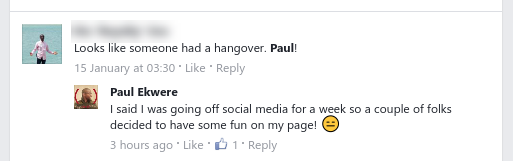
Capture-FB1.PNG
Capture-FB2.PNG

Capture-FB3.PNG

Capture-FB4.PNG

______________________________

DISCLAIMER: Tell your boyfriend / girlfriend, husband / wife, parents, kids before you do stupid s**t like this. Also, ensure that you have a steady means of communication during this time. If your primary communication means with family and friends is WhatsApp, please keep using WhatsApp and ignore all others. I will not be held liable if your girlfriend dumps you, your wife files for divorce, or the police knocks at your door at 5 am on day 3 because you’ve been declared a ‘missing person’ by your loved ones!


Saturday, 3 September 2016

The iWatch… Apple Watch… Watch Edition…

...you know, those really geeky Apple devices on people's wrists that are totally the rave right now


 by Paul Ekwere
___________________________


I've been away for quite a while. It's literally been a year since my first post and about seven months since my last.

To be fair, I have spent a lot of that time playing with the Apple Watch. I blame the Apple Watch for my irregular blogging schedule. 
That's my excuse and I'm sticking to it!

Jokes aside, it is a pretty good device. 
It’s  a very convenient device to have on you at the right time but to be fair, I do think it has its fair share of niggles.

The Apple Watch comes in a couple of sizes, 38mm for people with relatively smaller wrists and who do not like large watches, and the 42mm variant. 

I got a 42mm Gold version (it’s really just gold-plated Aluminium). I won’t say for how much but it did cost a pretty penny! (Note-to-self: blog more often to get free review units!)

There is also a limited edition apple watch which for the life of me I can’t tell why anyone would buy. Apple refers to it as the ‘Watch Edition’. Not sure why.


And for an £8,000 to £13,500 price tag, even with an 18 carat gold case, no thank you. Don’t care! (unless it’s a free review unit, thank you very much!)

The Watch Edition looks, smells and feels like a standard 38mm or 42mm Apple Watch!


Without further ado, let’s get right into it shall we!

Out the box, the apple watch comes shipped with all the standard accoutrements you’d expect to see. Magnetic inductive charger with an extra-long cable, portable charger head and an extra strap to allow for adjusting for wrist size.


Synchronisation and setup is also a fairly straightforward affair. It really is as simple as following the instructions. (Too bad for the many of us who do not ever read instructions!)


The good

The User Experience: The user interface is very beautifully designed it's very simple to use and the crown button on the side, though initially a source of contention among many technophiles, works perfectly! The apps tend to work quite well particularly with apps like Spotify and GoPro that are designed to work as a remote control.


Accessories - The straps: The Apple Watch comes with a fair number of accessories that can be used for different scenarios. Primarily, the straps are interchangeable for easy customization. I find this particularly useful as though I have the Sport version, there are times when I’d rather be wearing a more comfortable leather strap on my wrist. I’ve currently amassed as many as four straps for my Apple Watch. (I just can’t help myself!)

Fair play to Apple, allowing for such customization only makes the Apple Watch a more appealing device as it is less boring to wear a watch that always looks the same.


One thing I’ll give apple for their design is that the straps fit very comfortably. In fact, I dare say, better than any other watch I’ve worn. I should know… I do like my watches!


Accessories – Customisation: In addition to the straps, Apple has designed quite a few watch faces for the Apple Watch and quite a few of them as well you can customise even further to look very simple or give it a touch of class. From the old school skeuomorphism-inspired chronograph look, to the more fitting digital look, my personal favourite is Mickey tapping his foot in sync with the passing seconds. Gotta love ol' Mickey!


If  you’re one of the pedantic few worried about scratches on your Apple Watch, you can also purchase wrap-around protective cases to protect the watch face.

Battery life: The apple watch battery usually lasts a full day of regular use. I use it for all of my major activities including on average an hour to two of active sports. Regardless, I don't have to worry about charging until I get home and I put it back on my deskside charging stand. 

A lot of early entrants to the smart watch market seemed to have a significant problem with battery life.

Fitness tracking: The Apple Watch is arguably one of the best fitness trackers there is it right now. Yes, there are a few arguably comparable smart watches and pretty good fitness trackers out there that could attempt to rival the Apple Watch, but putting all other things together, and considering the full package of what the Apple Watch has to offer, it definitely beats the competition hands down!

Heart rate monitor: The apple watch comes equipped with a very capable heart rate monitor which to be fair is not a first for fitness tracking devices. It is a very useful add-on for fitness tracking and although may not work perfectly under all conditions, credit to Apple, it has reportedly been proven to be a literal life-saving feature.


Siri, Notifications and quick replies: Siri is nothing new, and using Siri on the Apple Watch isn’t a much different experience than using it on the iPhone.  A short press-and-hold of the ‘crown’ button on the side of the iWatch and Siri is at your beck and call.


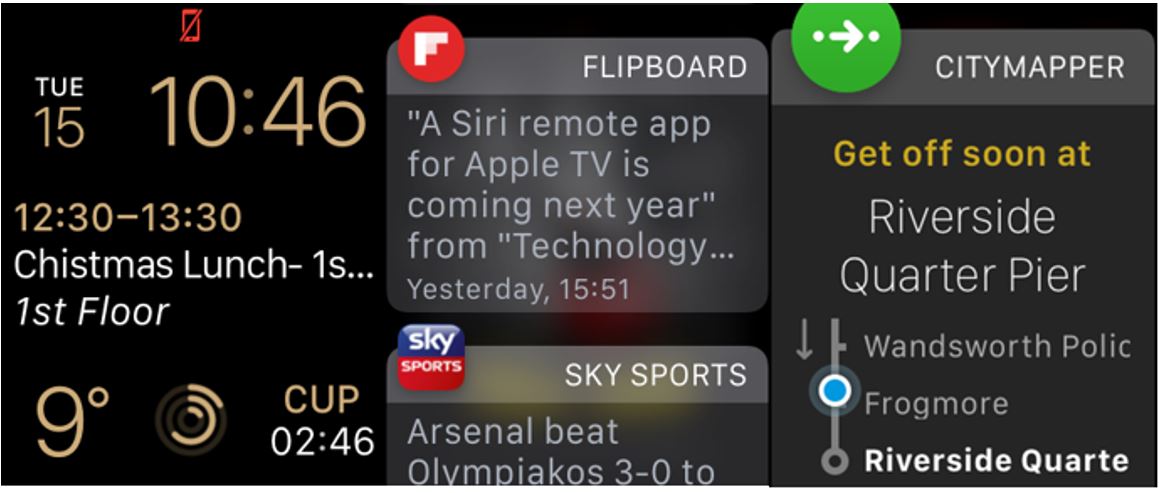
Not having to take your phone out of your pocket for every single notification has easily proven to be a personal time-saver for me. It has personally kept me a lot more organized over the last couple of months. Be it for messages, news apps, navigation or phone calls, having an Apple Watch has definitely helped improve the level of interaction I have with my phone, particularly enabling me to quickly weed out the unnecessary.


I can very easily view notifications from my phone without having to remove my watch from my pocket. This is very convenient in very many instances. One of the really cool things I also discovered is that even though you don't have a physical keyboard you can use voice dictation which is actually exactly how I am writing this blog post.

Apple Pay: Apple Pay is Apples answer to Google’s Google pay. (I know, they even sound similar). It is Apple’s proprietary payment platform that enables you make contactless payments using your Apple Watch or your iPhone. 

This killer feature is one of the major wins for the Apple Watch. It is one of the most convenient features to use on the device. One double-tap of the side button and your apple watch instantly becomes a contactless payment device.
This is very convenient and has personally made all of my (numerous) London Underground trips a lot less of a hassle. Apple Pay of course only works if you have pre-registered your card details on the device.
It is worth noting also that not all banks support Apple Pay, so before you get all excited and purchase the iWatch solely for this feature, check that your bank actually supports Apple Pay first.


The bad

The User Experience – specifically, speed & random errors: The Apple Watch can be unusually slow sometimes. This has a lot to do with the operating system currently installed on it. The Apple Watch OS 3 release in June 2016 came with considerable speed improvements for the Apple Watch.
There are however, further improvements that could be made.
Synchronisation speed: iWatch apps are not stored directly on the watch. The watch merely acts as a conduit or smart controller of sorts. This is accomplished via a Bluetooth link between the iWatch and your iPhone. The Apple Watch Bluetooth connection to the iPhone tends to lead to a significant degree of latency when attempting to launch applications directly on the apple watch. In general, it frankly gets slow! & the majority of your time is spent watching this….


Errors: In my personal experience, every now and then when attempting to launch an application from the Apple Watch it simply falters and tends to return some truly confounding error messages. The Instagram app is a recurring culprit. It simply does not ever do what it should!


Battery life: The Apple Watch batteries are only really good for a day and when I say for a day as earlier mentioned I actually do mean for a day of regular use. For a very active person who does a lot of fitness tracking (say 4 hours and above per day), the heart rate monitor tracks continuously when using the ‘Workout’ app. This usually leads to significant battery drain.

Fitness tracking: Other than the obvious battery drain that I mentioned above when the heart rate monitor is continuously monitoring your heart rate, there is also an additional issue where the heart rate monitor does not work very well in cold weather. The detail on what causes this problem is elucidated on in this blog post.

GPS (or the absence thereof): Yup! The Apple Watch does not have GPS! That really sucks! I'm into fitness I like running and I don't like having to take my phone with me all the time. To be able to track the pace of your run properly, you currently need to have the iPhone your Apple Watch is paired to on you while you run.


Notifications and quick replies: The Apple Watch is great for notifications. Quick replies though are somewhat limited in range. The tend to be the standard messages you see on your iPhone when you attempt to ignore a call. Messages like “Can’t talk right now”, “In a meeting”, “Busy, will call you back”. Voice dictation and quick replies are good but not perfect and once you tap on one of them, there's no way to cancel. That message is pretty much sent. If you’re going to use either, expect hilarious results!


It's arguably the best approach not to attempt to use either in a professional setting.

Watch faces: we need more watch faces choice selection is very limited. Enough said!

Cell connectivity: The Apple Watch connects to your phone via Bluetooth and as such answering phone calls via the speaker on the Apple Watch is just the same as using a Bluetooth headset. As such one cannot wear the Apple Watch independently with say just an android phone on them and be able to receive calls on it. There are days when I want to put my work phone (the iPhone) down and go about my business with just my One Plus 2 and my Apple Watch. Unfortunately, that is currently not possible.


Apple Watch 2 - What’s new? (what to expect & what not to expect)

Cell connectivity: With the Apple Watch 2, don't hold your breath about cell connectivity. It is very likely that the Apple Watch 2 will still be dependent on the iPhone. This is unlikely to change any time soon given Apple’s design philosophy of working with an ecosystem design model which obviously keeps, you the consumer, tied-in and buying co-dependent Apple products. It has however been recently reported by the Wall Street Journal that Apple plans to include cell connectivity in the new Apple Watch design. A claim that other trusted reviewers in the know have very quickly refuted!

GPS: It's rumoured that next week's release of the Apple Watch 2 will give us the much needed GPS upgrade required to make the Apple Watch a decent standalone fitness device. Nike seems to have inadvertently leaked a hint towards this with their most recent Nike+ Run Club app update. It’s left for us to wait with baited breath and hope that they actually did include GPS in the Apple Watch 2.

New accessories: As with most new Apple device releases it is much expected that Apple will release new accessories for the Apple Watch some of them would be expected to be the standard watch straps which are interchangeable in new different designs and exciting colours. The really good thing about this is that now you will have more options for your existing Apple Watch as for those who do not upgrade the straps should still be able to fit either the Apple Watch one on the Apple Watch 2

Improved battery: Yes, there are rumours about a much improved Apple Watch battery in a certain leaked takedown seen this week that Apple has made the Apple Watch 2 screen considerably thinner to accommodate the bigger battery. This adds fuel to the fire with the rumour that the Apple Watch 2 will indeed have GPS. If the rumours are true, this would be a massive improvement, especially with regard to the battery drain when doing fitness tracking as well. 

For now, I guess we can only wait and keep our ears peeled for next week's announcement from Apple!


I'm really excited for the Apple Watch 2. Primarily for one thing, that long overdue addition of GPS! 


What are your thoughts on the Apple Watch and the Apple Watch 2? Let us know your thoughts, feel free to leave a comment below!


If you found this #TechforTheTechie review useful and want to learn more on general techie stuff and general gadgety wizardry, you can also find me on:
-       
-           Twitter twitter.com/paul_ekwereii  & Flipboard  https://flipboard.com/@paulekwere